01Why this exists
Investment offices that allocate to external managers are constantly screening new ones. At any given time the team is talking to dozens of GPs at different stages: just-introduced, in diligence, contracts being negotiated, recently funded. The data lives everywhere — intro emails, Excel screening sheets, the head-of-research's memory, post-meeting notes in a shared drive. It's slow to onboard a new team member, easy to drop a manager mid-process, and impossible to answer “what's our active pipeline?” without a meeting.
This tool gives the team a single, structured workspace for the whole pipeline. Every manager has a record. Every fund under a manager gets a Kanban board with the standard diligence phases. Every task has an owner, a due date, comments, and document attachments. Nothing falls through the cracks; everyone can see who's responsible.
02Data sources & pipeline
Everything is local: a FastAPI app backed by SQLite. The schema is small and intentional.
| Table | Holds | Notes |
|---|---|---|
managers | One row per GP: status, geography, sectors, fundraise year, fund size, contact metadata | Seeded from a one-off CSV; new managers added via the UI |
funds | Funds under each manager: name, target close, fund type, strategy, geographic focus | Adding a fund auto-creates its phases and standard tasks |
phases | Per-fund phase rows: Screening, Diligence, Monitoring | Templated by templates_data.py |
tasks | Diligence checklist items: title, status, assignee, due date | ~17 standard tasks per fund (screening = 4, diligence = 9, monitoring = 4) |
task_comments | Comment threads on tasks | Author + timestamp + body |
task_documents | File attachments per task | Stored in uploads/<task_id>/ |
meetings | Scheduled manager / fund meetings: title, date-time, duration, location, tag, notes | Drives the calendar view; tagged Intro / Diligence / Update / IC Pre-read / Reference / GP visit |
meeting_attendees | Many-to-many: which team members are on which meeting | Each user's calendar can be filtered to “my meetings only” |
users | Team members for assignment + cookie-based identity | No passwords — just pick your name to identify yourself |
Auth is intentionally lightweight: pick your name from a dropdown on first visit and it persists in a cookie. The app sits on the team's shared drive and is reached over the corporate VPN, so the security boundary is the network rather than the app. That said, members can open it from anywhere with VPN access, so future hardening (SSO via the corporate IdP, signed cookies tied to a directory user) is on the backlog — the current model trades login friction for adoption velocity in a small, trusted team.
03Salient features
Pipeline view with filters
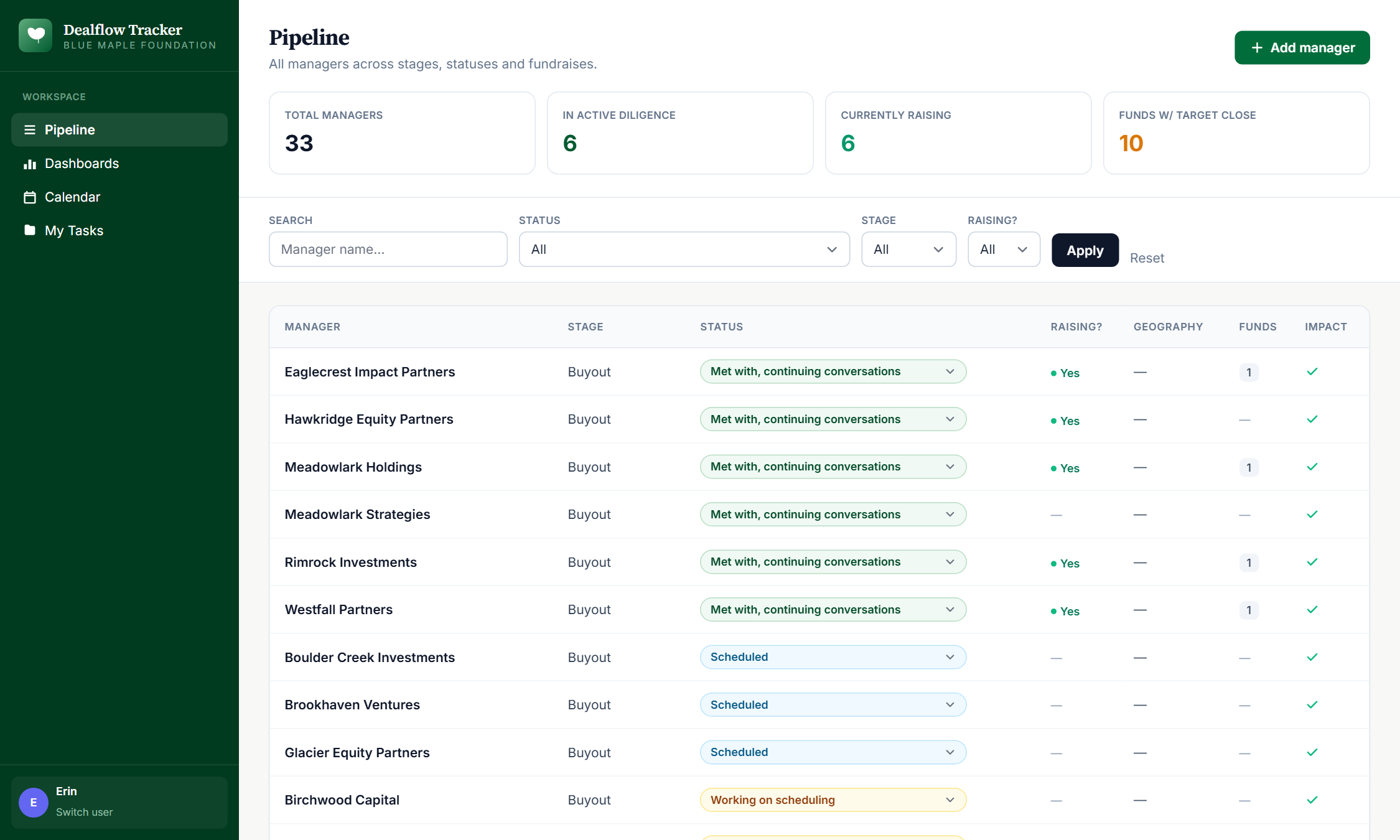
All managers in one ranked list. Filter by status, stage (Buyout / Growth), or actively-raising. KPI strip at top shows total managers, in-diligence count, currently raising, upcoming target closes.
Inline status updates
Manager status (Not contacted → Intro → Diligence → IC → Funded → Passed) and individual task status (Not started / In Progress / Blocked / Done) are inline dropdowns — one click to update, no modal, no save button. KPI counters re-tally on every change.
Manager workspace
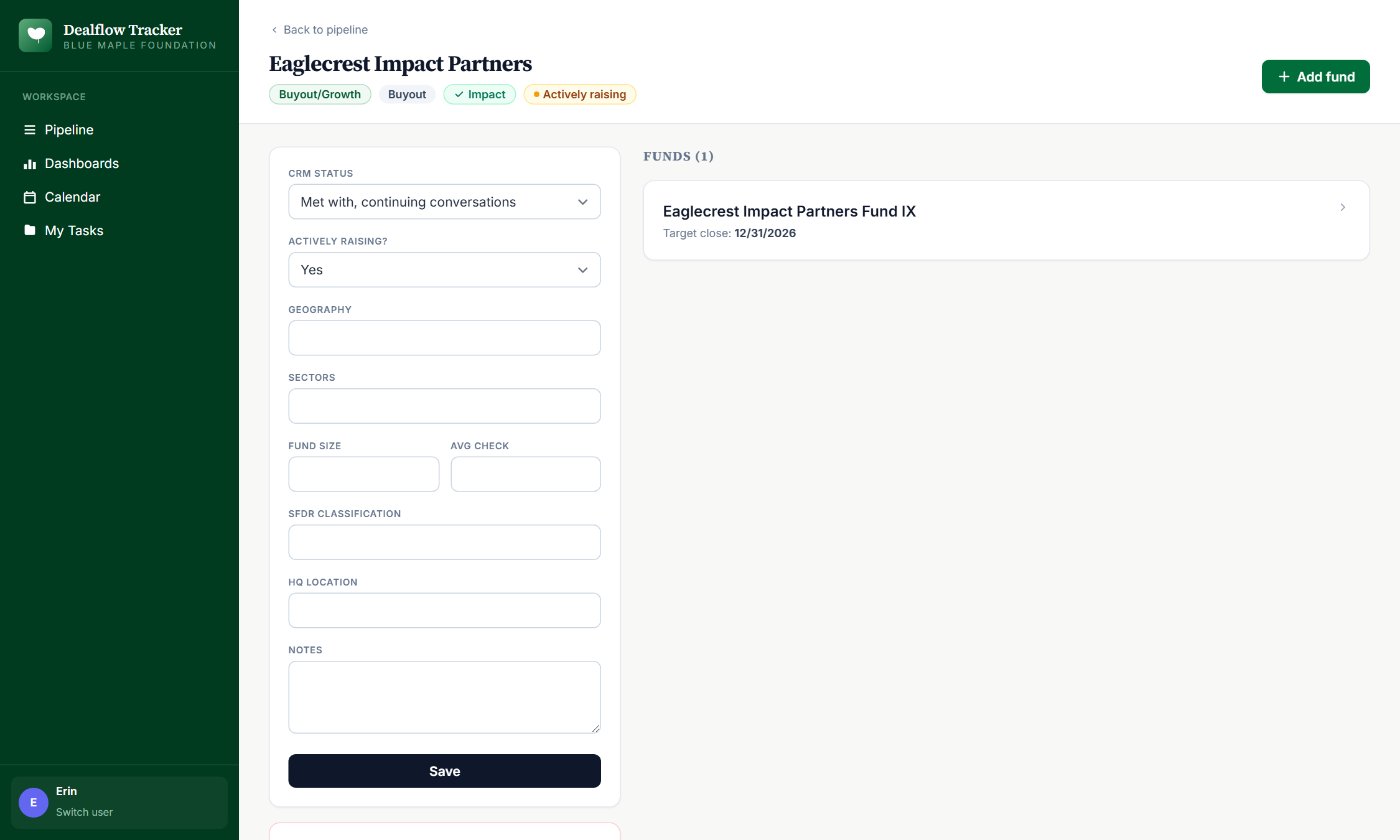
Per-manager profile + funds list + metadata form. Edit status, geography, sectors, fund size, SFDR classification, HQ — all without leaving the page.
Fund Kanban board
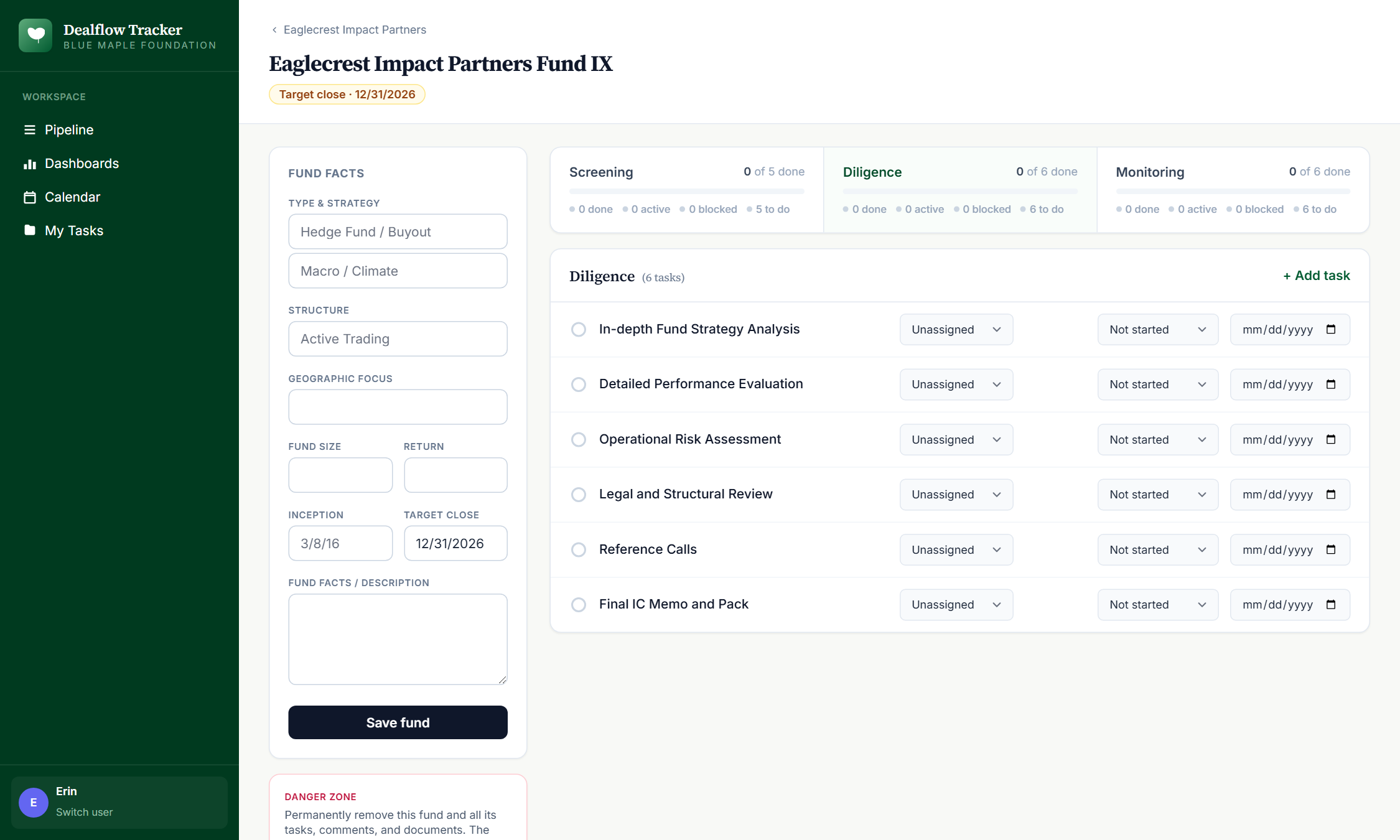
Three phase tabs (Screening / Diligence / Monitoring), tasks grouped by status. Add tasks, reassign, mark done, attach files, comment.
Auto-templated diligence checklist
Adding a fund pre-populates ~17 standard tasks from templates_data.py — Fund Strategy Overview, Management Background Check, GP Reference Calls, etc. Customize per fund as needed.
Calendar & meeting scheduling
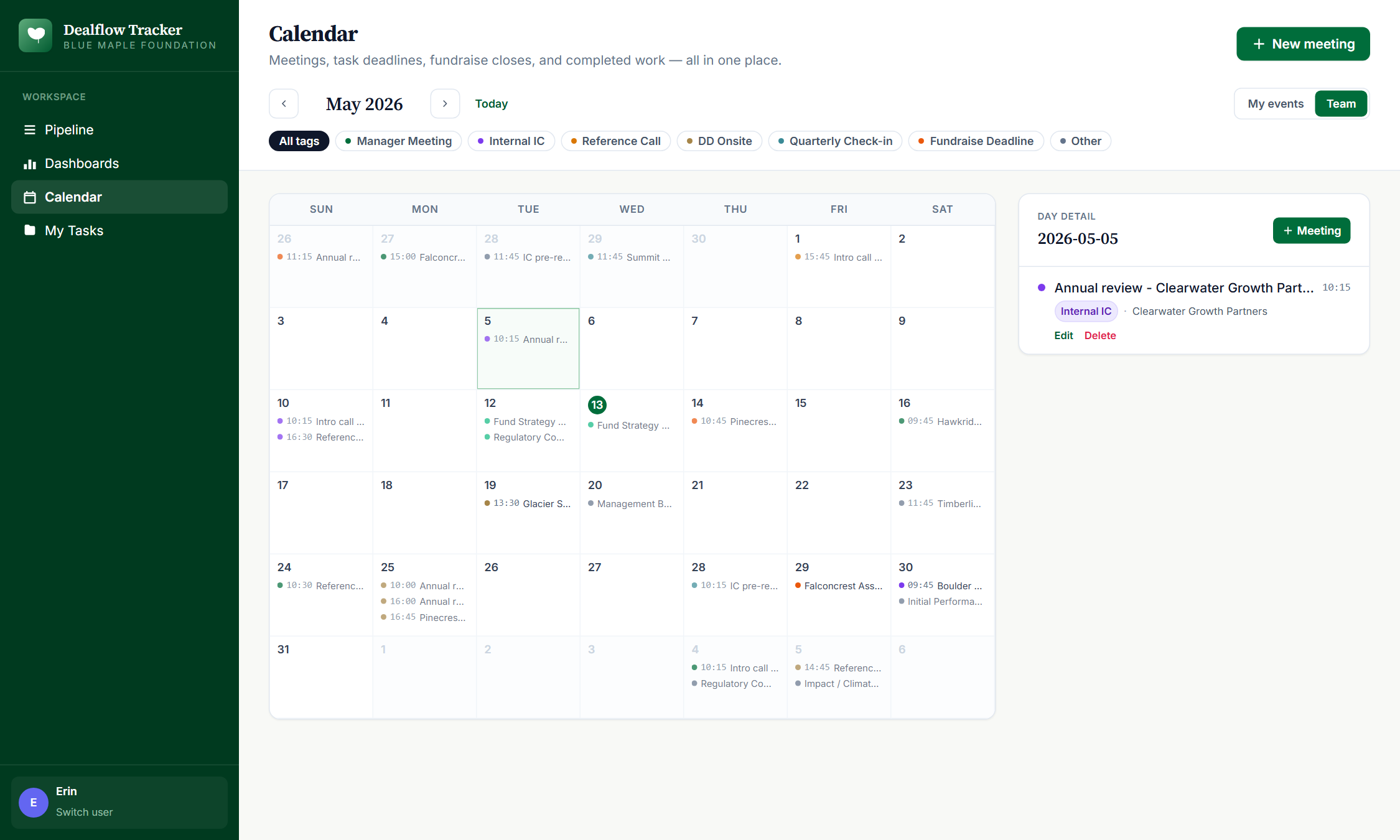
Month-grid calendar of every scheduled meeting across the team: intro calls, GP visits, diligence sessions, IC pre-reads, reference calls. Click a day for the agenda; click a meeting to edit; one-click “+ Add a meeting” pre-fills the date.
Meeting attendees
Each meeting carries a list of attendees from the team. Filter the calendar to “my meetings only” to see just your schedule, or “all” for the team-wide view.
Comments + document attachments
Every task has a thread of comments and a list of uploaded files. Files are stored in uploads/<task_id>/; downloads stream through the FastAPI route.
Dashboard with fundraise calendar
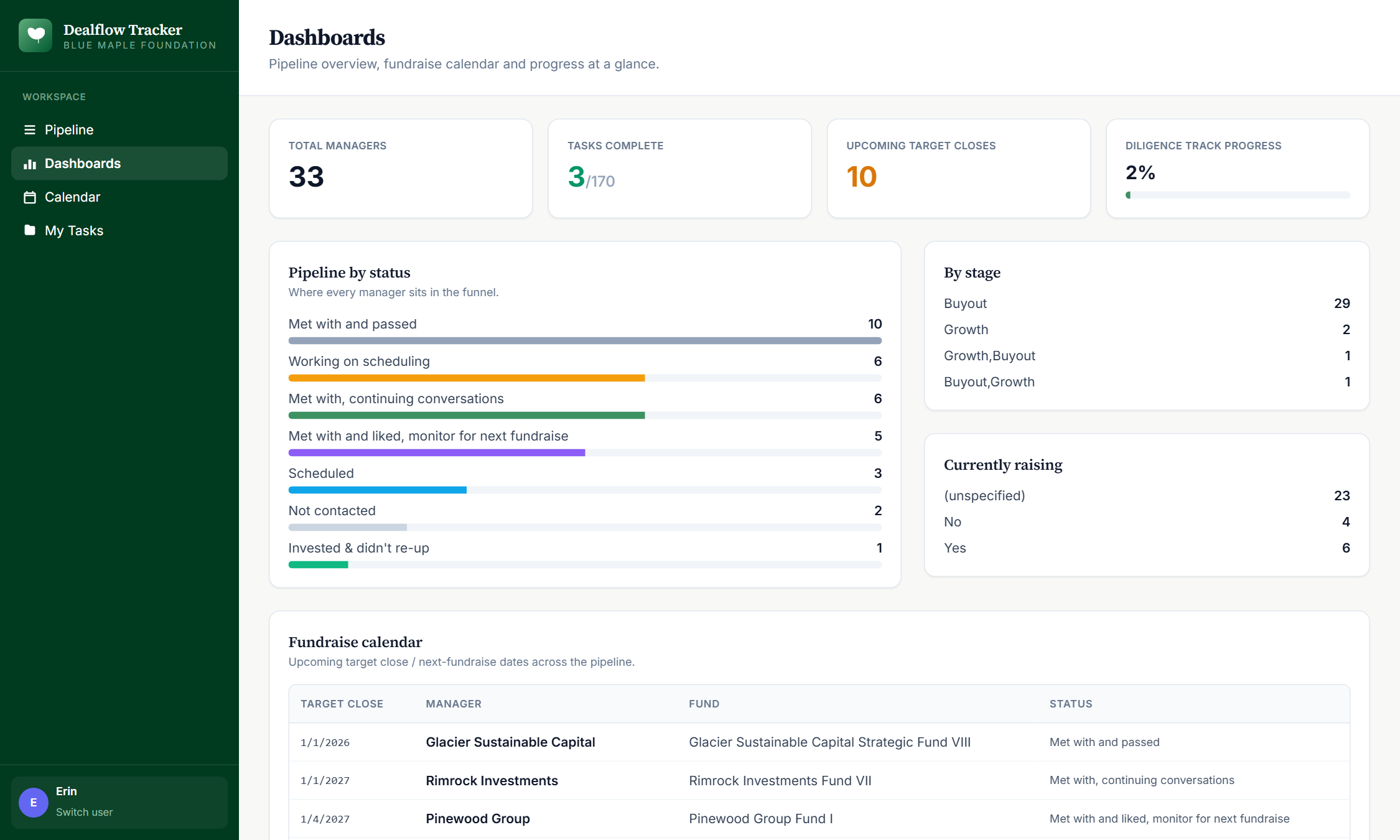
Aggregated view: pipeline by status chart, currently-raising list, upcoming target closes (next 6 months), by-stage breakdown. The view senior leaders open weekly.
"My tasks" view
Per-user filter of open tasks assigned to you, plus an "All open" toggle for team-level review. Shows manager + fund context for each task so you can prioritize.
Cookie-based identity
No passwords. Pick your name once; it persists in a cookie. Trades login security for zero-friction team adoption.
04How to use it
Demo URL: dealflow/index.html. The static demo is read-only — clicking edit / assign / comment in the live version mutates the SQLite DB.
Land on the pipeline
Default view is the manager pipeline, ranked by status priority. Each row shows the manager name, status, stage, geography, fund count, and an indicator if they're actively raising.
Read the KPI strip
Four cards at the top: total managers in pipeline, in-diligence count, currently-raising count, upcoming target closes (funds with a target close date in the table). These are computed live on every render.

Drill into a manager
Click any manager name. You land on their profile page: metadata form (status, geography, sectors, fund size, etc.) at the top, list of their funds below.
Open a fund
From the manager page, click into one of their funds. You get a Kanban-style workspace: three phase tabs (Screening / Diligence / Monitoring), tasks grouped by status under each.
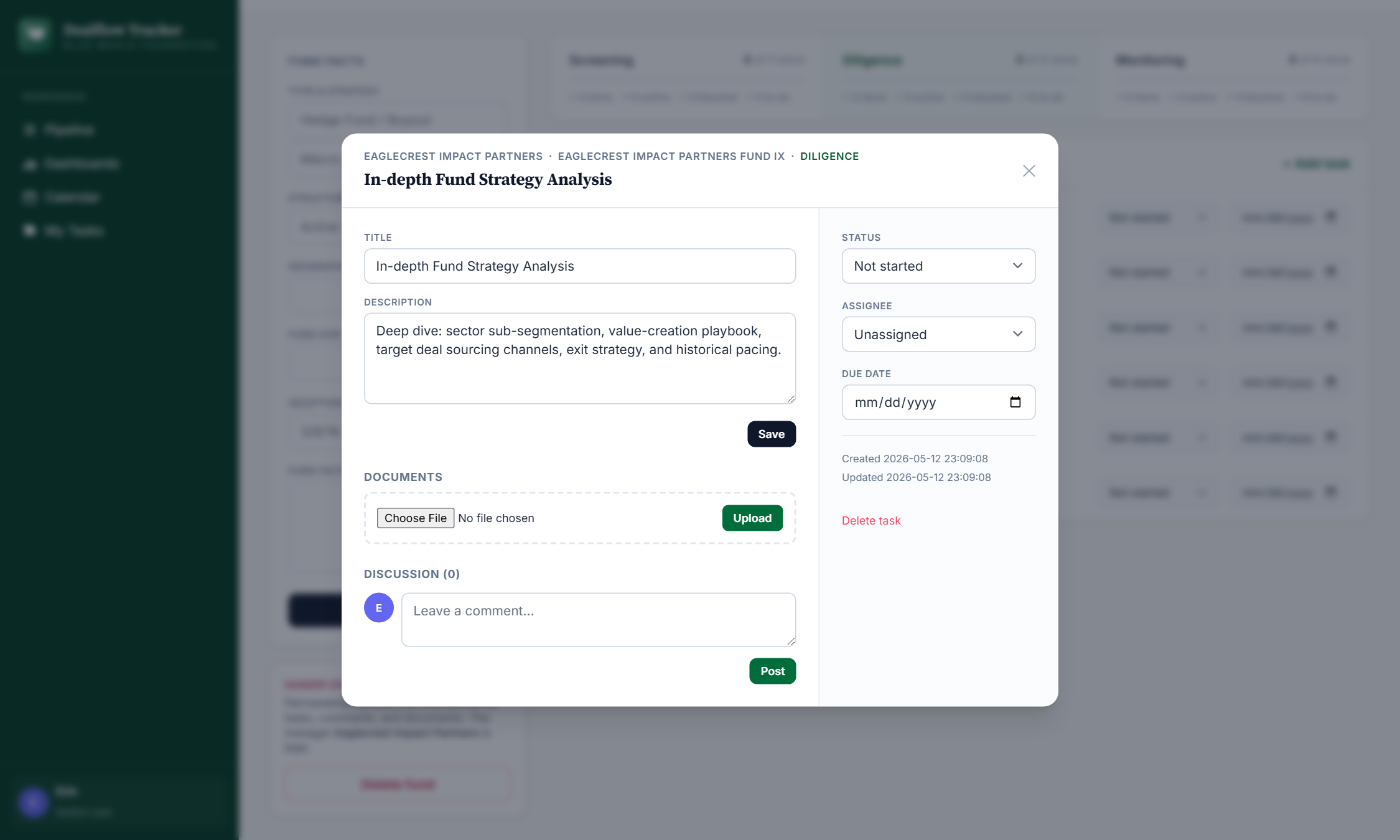
Open a task
Click a task title. A detail page opens with: description, assignee dropdown, due-date picker, status selector, comment thread, and file upload. Editing any field saves immediately.
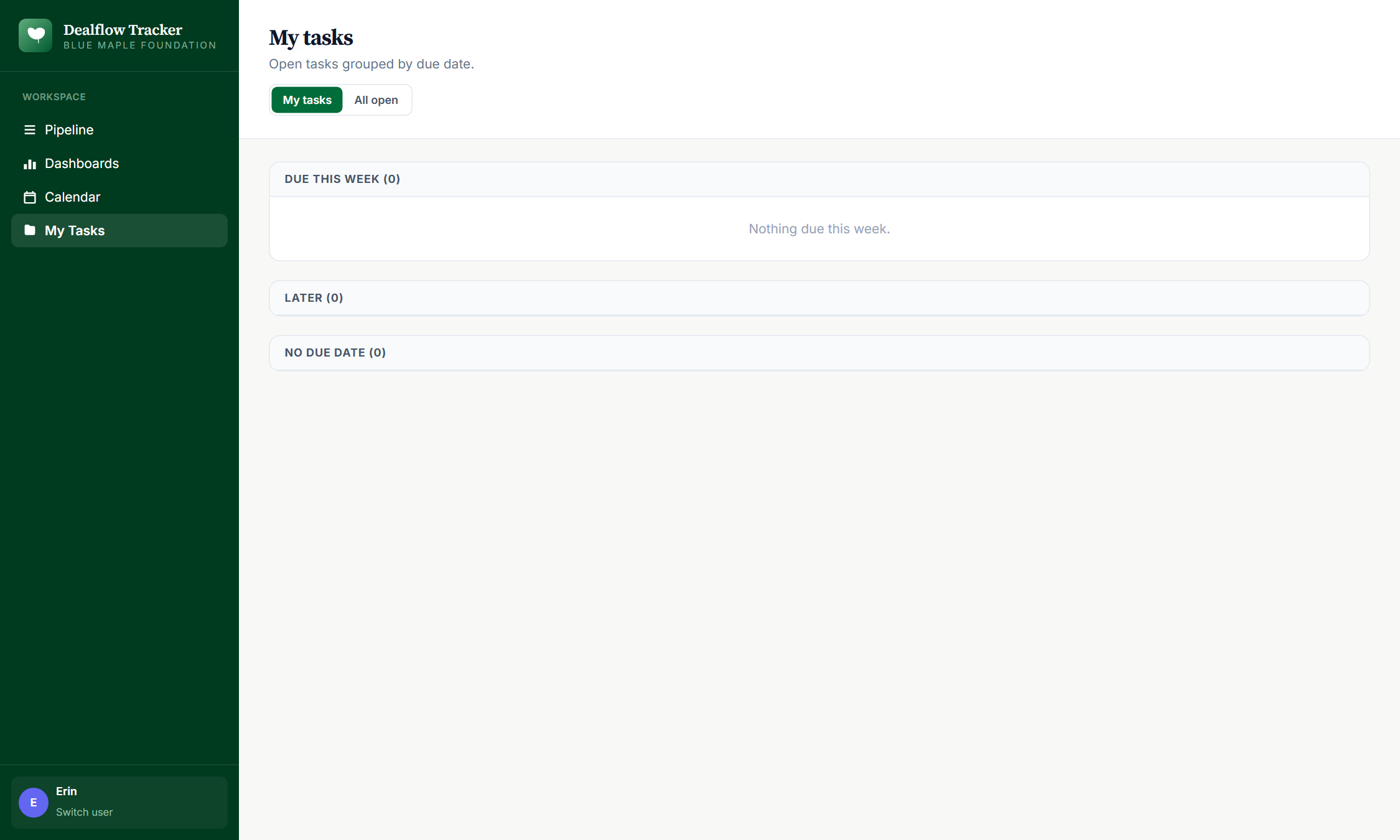
Check your queue
Sidebar → My tasks. Shows every open task assigned to you across all managers + funds, with the manager and fund name as breadcrumbs so you have context. Toggle "All open" to see the team-wide queue.
Read the dashboard
Sidebar → Dashboard. Aggregated view: pipeline by status (horizontal bar chart), currently-raising list, upcoming target closes table, by-stage breakdown. The view senior leadership opens weekly.
Open the calendar
Sidebar → Calendar. Month-grid view of every scheduled meeting across the team — intro calls, GP visits, diligence sessions, IC pre-reads. Each day cell shows the meeting count and tag mix; the previous- and next-month arrows let you page forward and back.
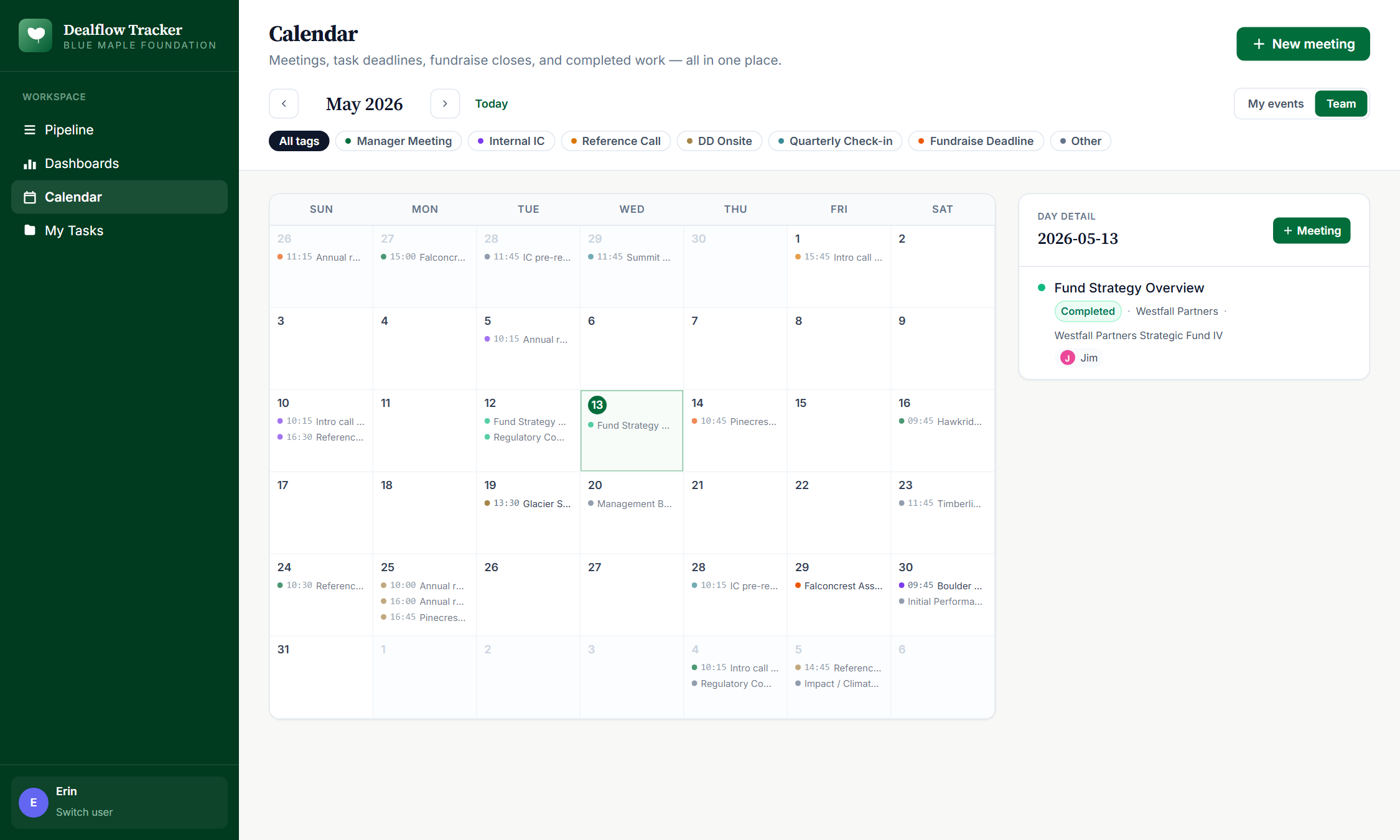
Drill into a single day
Click any day cell. The right-hand pane fills with that day's agenda: each meeting's time, duration, location, tag, attendees, and a quick link to the linked manager or fund. From here you can edit any meeting or click “+ Add a meeting” to create a new one pre-filled with that date.
Schedule a new meeting
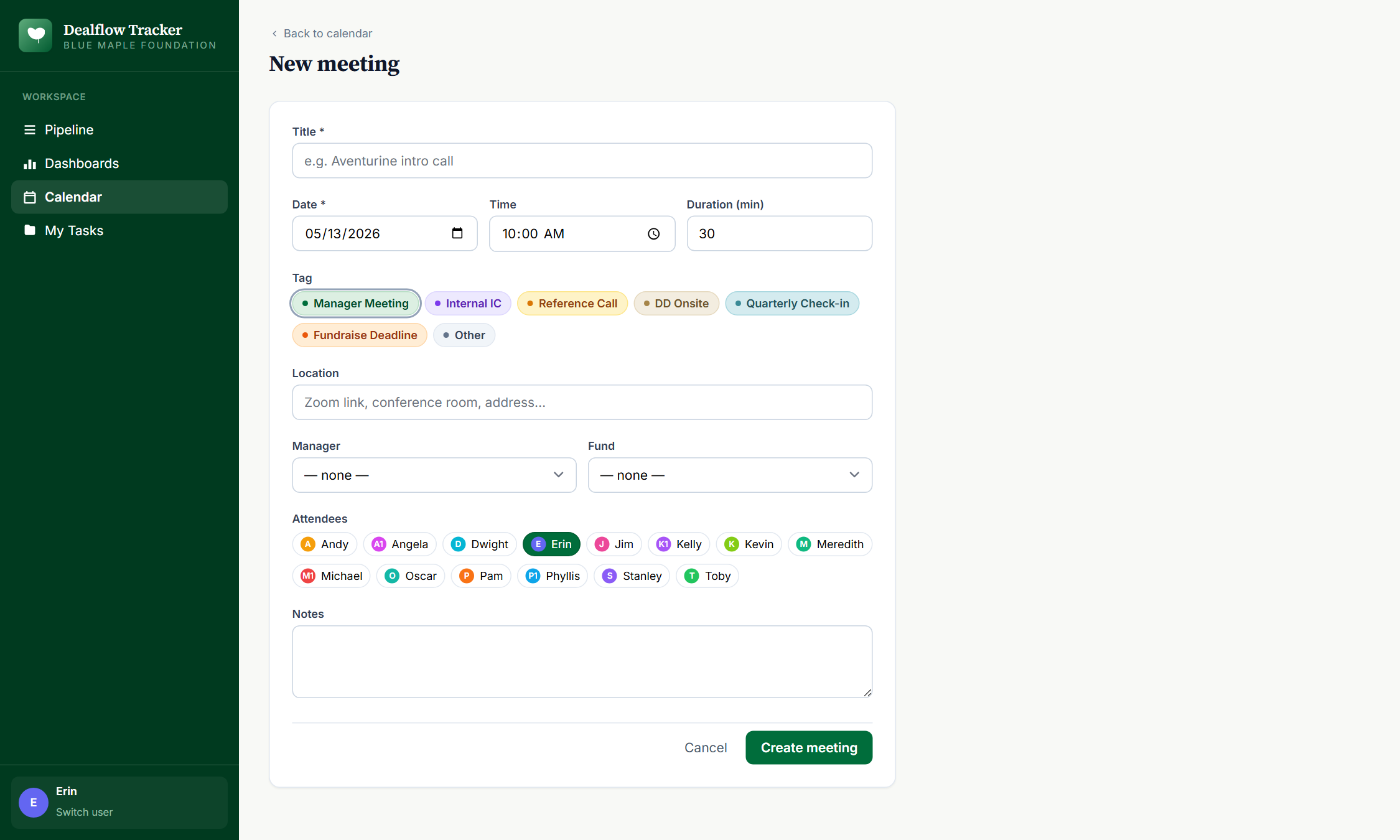
From the day panel or the calendar header, click “+ Add a meeting.” The form has title, date-time, duration, location, tag, attendees, optional linked manager / fund, and notes. Save and it lands on the calendar instantly.
Edit an existing meeting
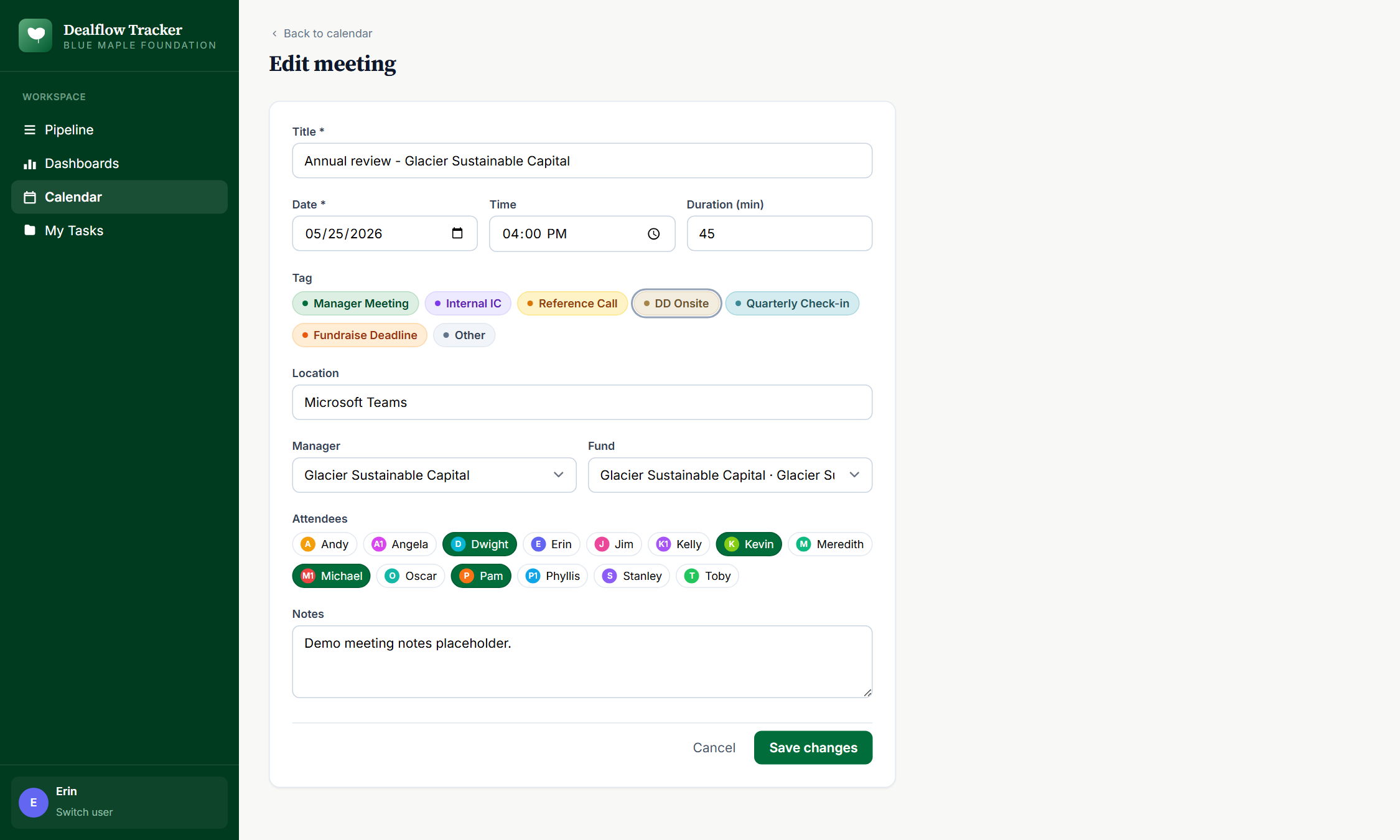
Click any meeting title from the day panel. The same form opens with the meeting's current values; change anything, save, deletes are also one click. The calendar and the manager / fund page both re-render with the new state.
Inline status updates
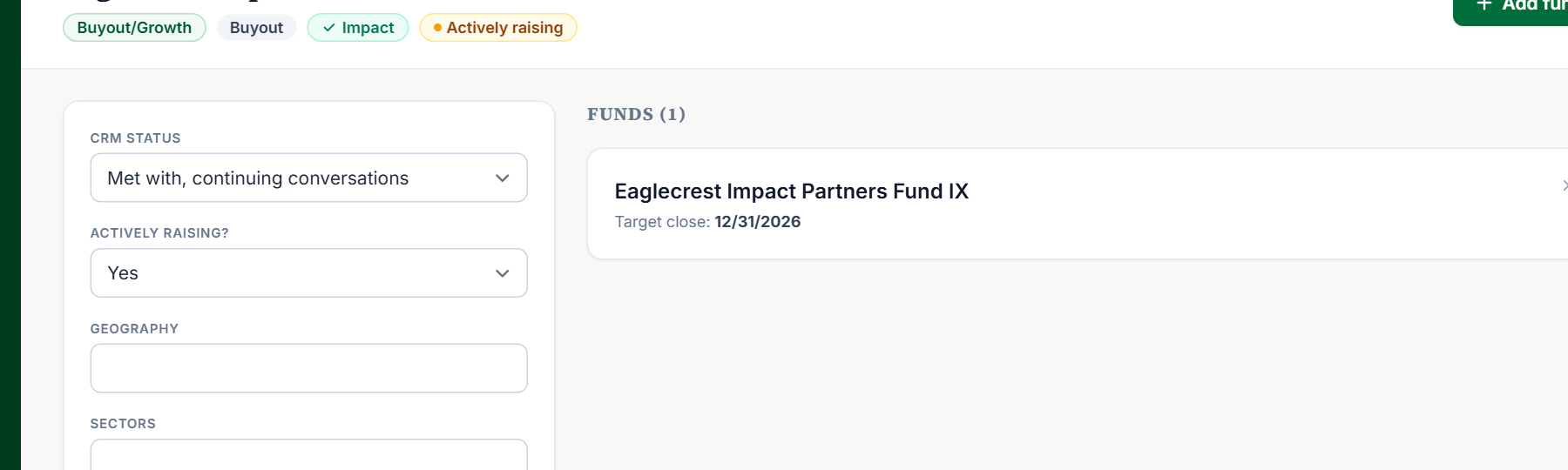
On the manager page, the Status dropdown updates immediately on change — no save button, no modal. Same pattern for individual task status (Not started / In Progress / Blocked / Done) on the fund's Kanban board. The KPI strip on the pipeline view re-counts on every change.
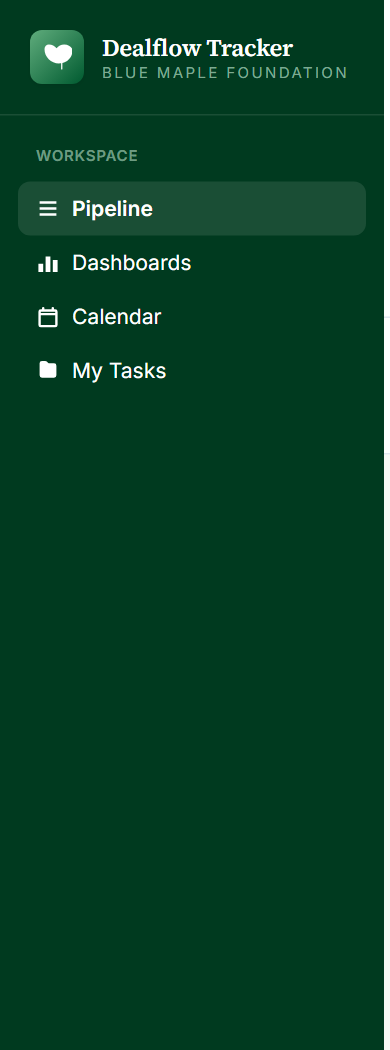
Navigate via the sidebar
Persistent left-side nav across every page: Pipeline / Dashboard / Calendar / My tasks / Switch user. The current user is shown at the bottom; click "Switch user" to clear the cookie and re-pick.