01Why this exists
The team's fund documents — capital calls, distribution notices, K-1s, quarterly reports, audited financials — all flow into Canoe Intelligence (the document-management vendor). Canoe's own UI works, but it's optimized for one-document-at-a-time browsing. The team frequently needs to answer questions like “pull every audited financial statement from 2024 across our buyout sleeve” or “download all Q1 capital calls from Stonehaven funds, organized by fund” — and that's painful in the native UI.
This tool wraps Canoe's REST API with two productivity layers: a natural-language search powered by Claude (so you can just type your question), and a structured filter panel for precision. Both feed the same result list, and the same Download button on top pulls whatever's currently filtered into a ZIP organized however you want.
02Data sources & pipeline
The backend is a thin Python wrapper that holds OAuth credentials in memory and proxies requests to api.canoesoftware.com. No local database — every query hits Canoe live.
| Source | Used for | Notes |
|---|---|---|
| Canoe REST API | Funds, documents, entities, accounts, taxonomy, document types | OAuth2 client-credentials flow; pages cached in memory per backend lifecycle |
| Anthropic Claude API | Natural-language → Canoe filter object | Structured-output prompt with prompt caching on the fund/entity catalog |
| Performance Report PDF | Asset-class taxonomy | Re-parsed monthly via /api/taxonomy/refresh |
| Web Speech API | Multilingual voice transcription in the browser | Transcript cleaned up via Claude before submission |
The asset-class taxonomy is parsed from the same monthly performance report PDF the Performance Dashboard reads — one source of truth for what an “asset class” means. Unmatched Canoe funds fall into an “Other / Terminated” bucket.
The natural-language layer caches the fund and entity catalogs as part of the Claude prompt (Anthropic prompt caching) so repeated queries don't re-pay for the catalog tokens.
03Salient features
Natural-language search
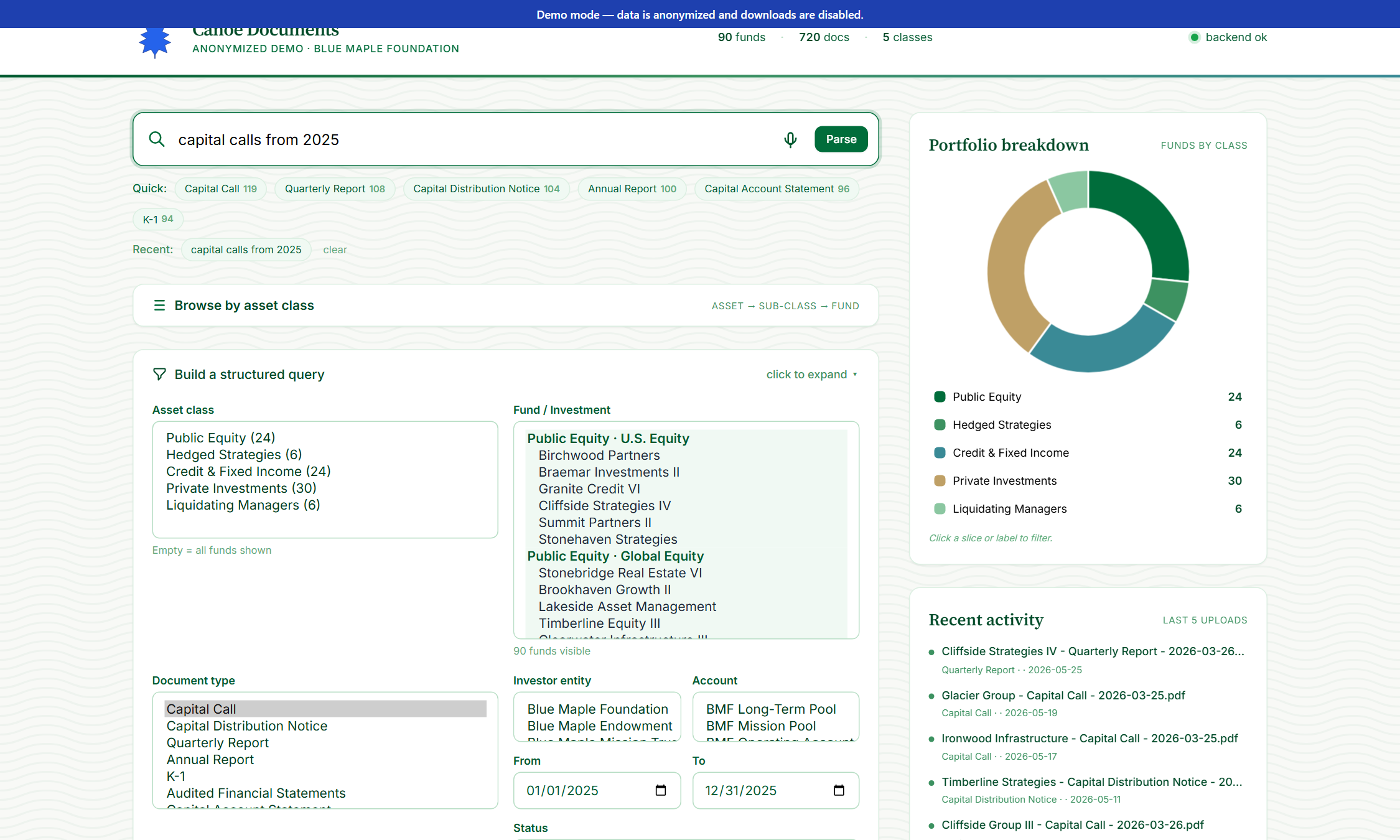
Type “all capital calls from Stonehaven Group in Q1 2025” and the dashboard parses your sentence into Canoe filter parameters via Claude. Filters auto-populate; results stream in.
Multilingual voice input
Click the mic, speak in any of ~30 languages. The browser transcribes; Claude translates to English (preserving fund names verbatim); the cleaned text lands in the search box for you to review and run.
Asset-class donut + tree
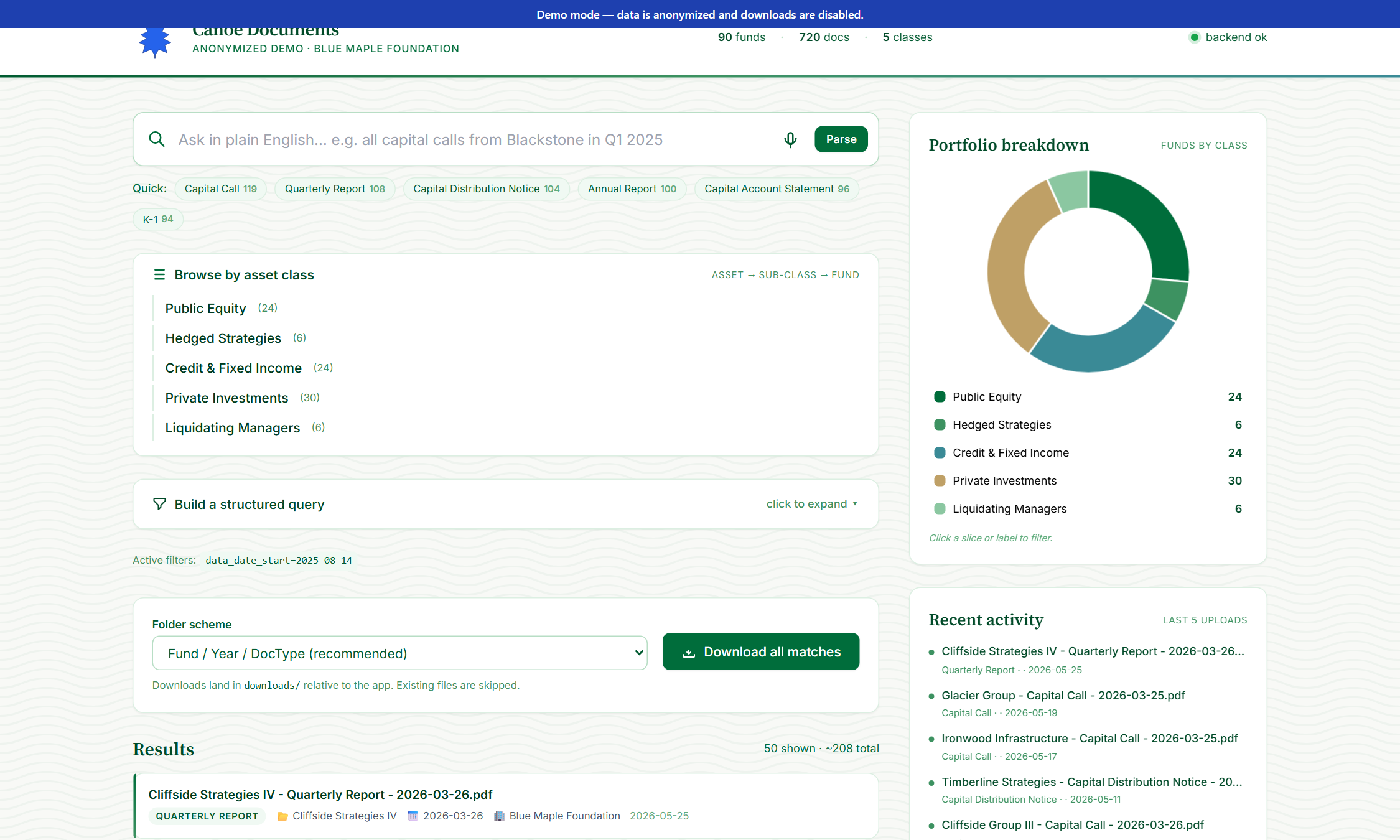
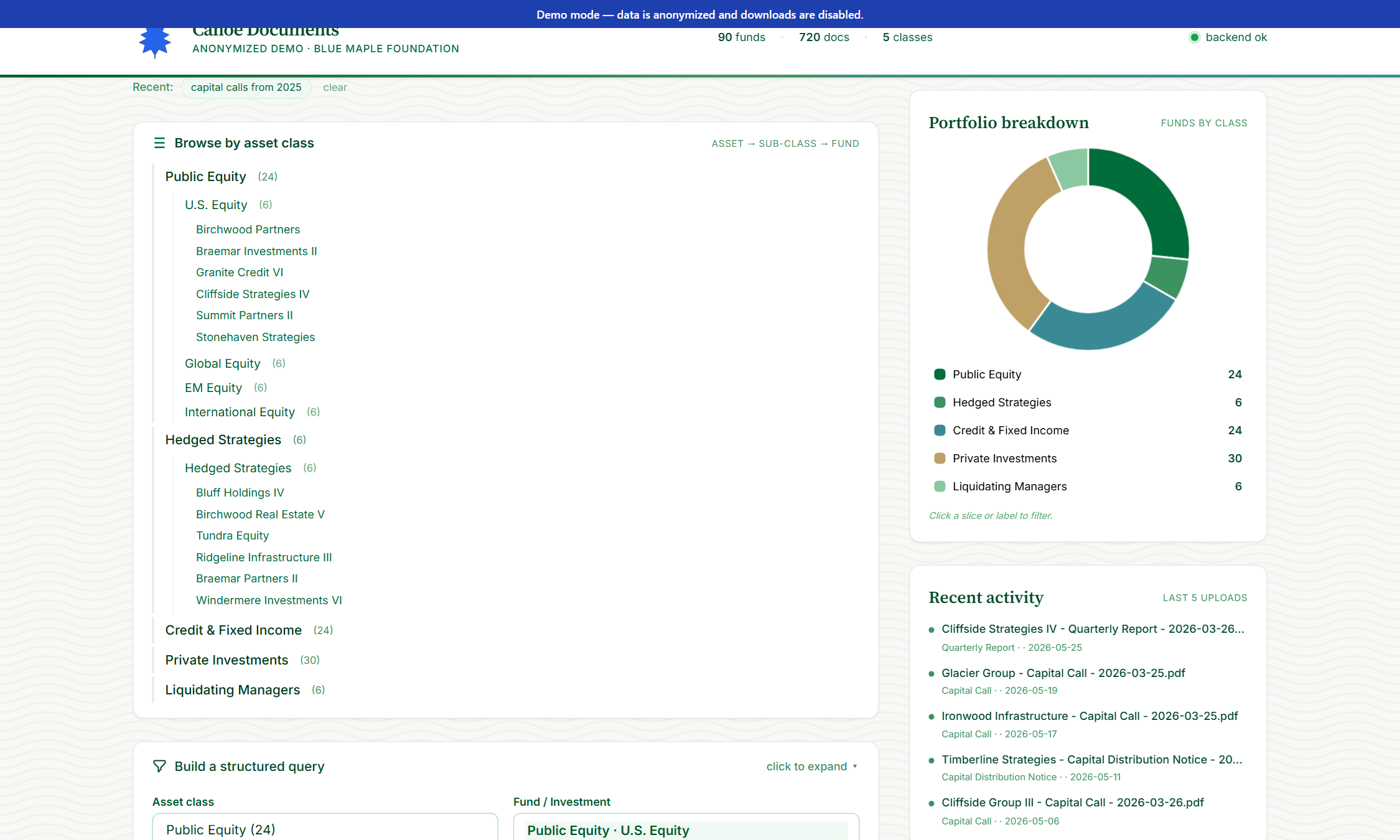
Portfolio breakdown by asset class (Public Equity, Hedged Strategies, etc.) shown as a clickable donut chart. Click a slice to filter the whole search.
Structured filter panel
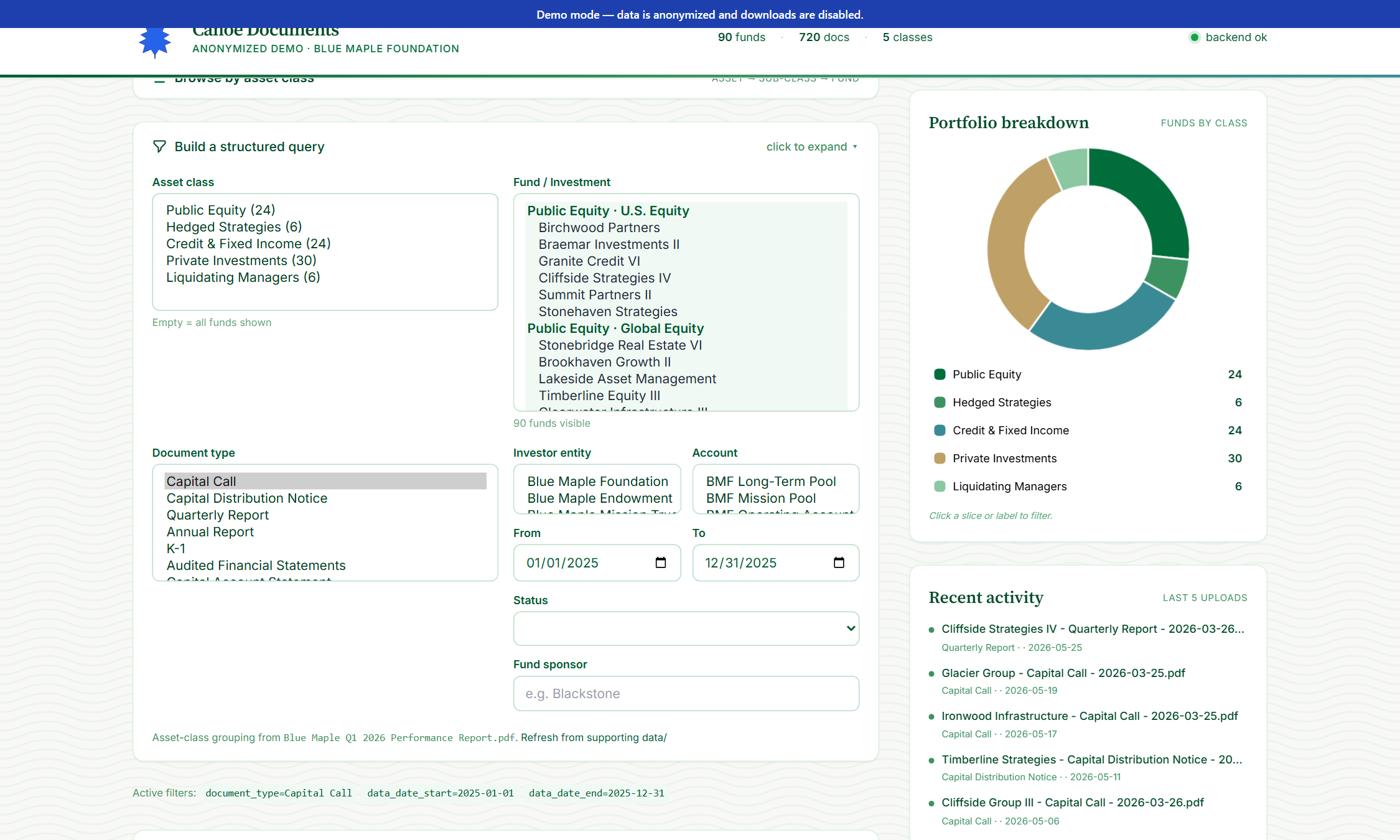
When NL isn't enough: pick asset class, fund, document type, investor entity, account, date range, document status, fund-sponsor keyword. Multi-select where it makes sense.
By manager sidebar & toggle
Group the fund dropdown by PM coverage instead of asset class. The sidebar surfaces each manager's fund count plus an “Unassigned” pill so coverage gaps are visible at a glance.
Activity-grouped doc types
Canoe's ~100 raw doc-types roll up into 5 curated activities (Transactions, Tax, CAS & Performance, Financial Statements, Manager Communications). Quick chips and the dropdown group by activity; a “Show all” toggle exposes the raw list.
Batch download with organize-on-the-fly
Apply your filters, click Download — up to 1,000 documents come back organized by Fund / Activity (default), Fund / DocType, DocType / Year / Fund, or Account / Fund / Year.
Local or SharePoint destination
Save to your local downloads/ folder, straight into SharePoint, or both at once. SharePoint-write failures fall back to local with an inline warning so a flaky OneDrive sync never costs you the batch.
Live activity feed + facts
Five most recent uploads streaming across the top. A “did you know” carousel surfaces aggregate stats (top document type, deepest asset class, etc.).
Per-fund stats on hover
Hover any fund in the dropdown and a tooltip shows: total documents, breakdown by document type, most recent upload date.
04How to use it
Demo URL: canoe/index.html. The demo uses 90 anonymized funds and 720 fake documents across 5 activity groups; downloads are disabled. The live app talks to api.canoesoftware.com.
Land on the dashboard
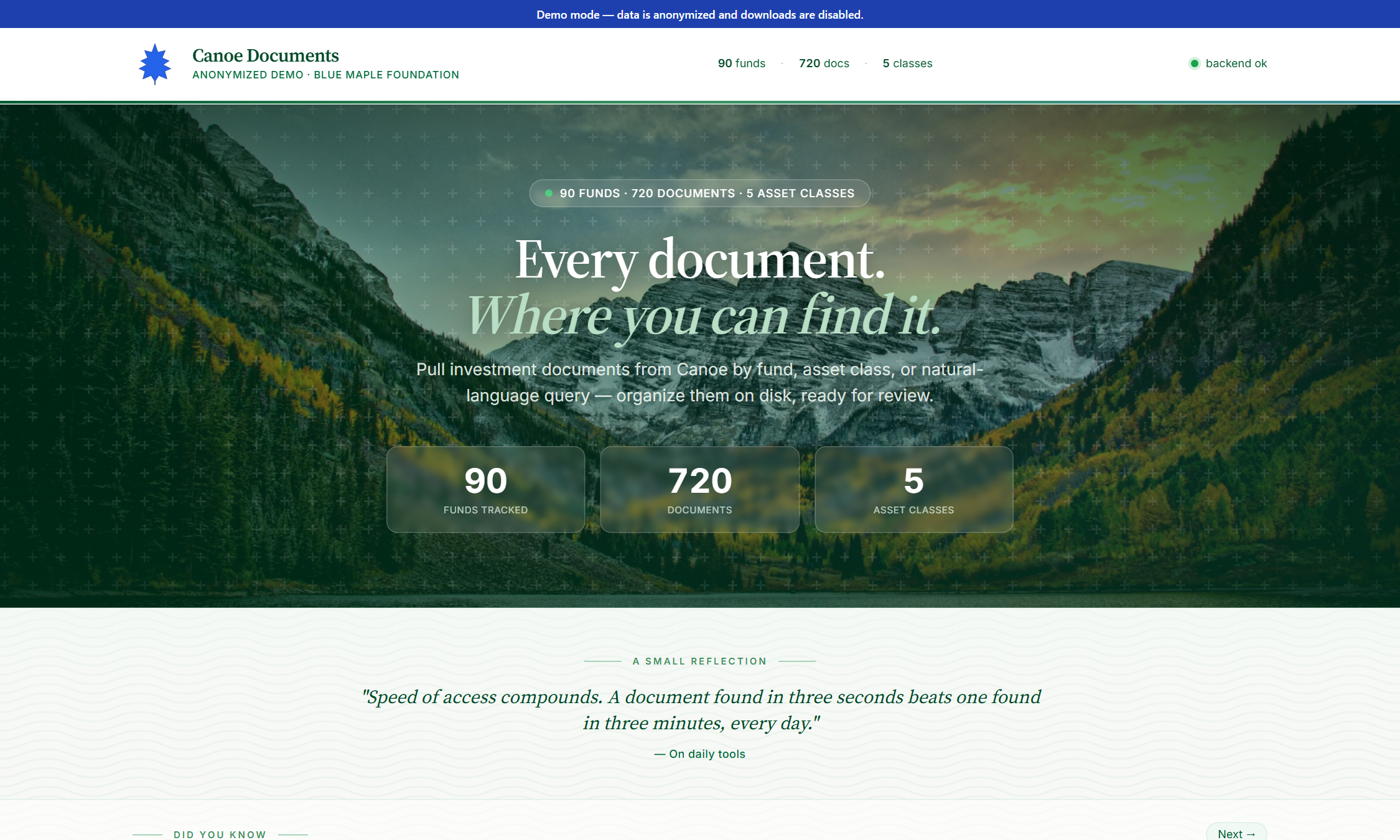
Top of the page: hero with portfolio stats (funds / documents / asset classes). Below the hero: a “did you know” facts carousel cycling through aggregate insights. Both are computed live from the latest Canoe sync.
Read the portfolio breakdown
Right side of the search area: a clickable donut chart of funds-by-asset-class. Click any slice to filter the search to only that asset class.
Try a natural-language query
Type any English question into the search box — “capital calls from 2025,” “Stonehaven Q4 reports,” “all 2024 K-1s”. Click Parse. Claude turns it into a Canoe filter object; the structured filter panel auto-populates so you can see what was understood.
Use the structured filter panel
Below the search bar: a collapsible panel with explicit filters — asset class, fund, document type, investor entity, account, date range, status, fund sponsor. Multi-select where it makes sense.
Drill via the asset-class tree
Sidebar tree: Asset Class → Sub-class → Funds. Click any node to filter the search to that scope. Useful for “everything in Buyout this quarter.”
Scan the results
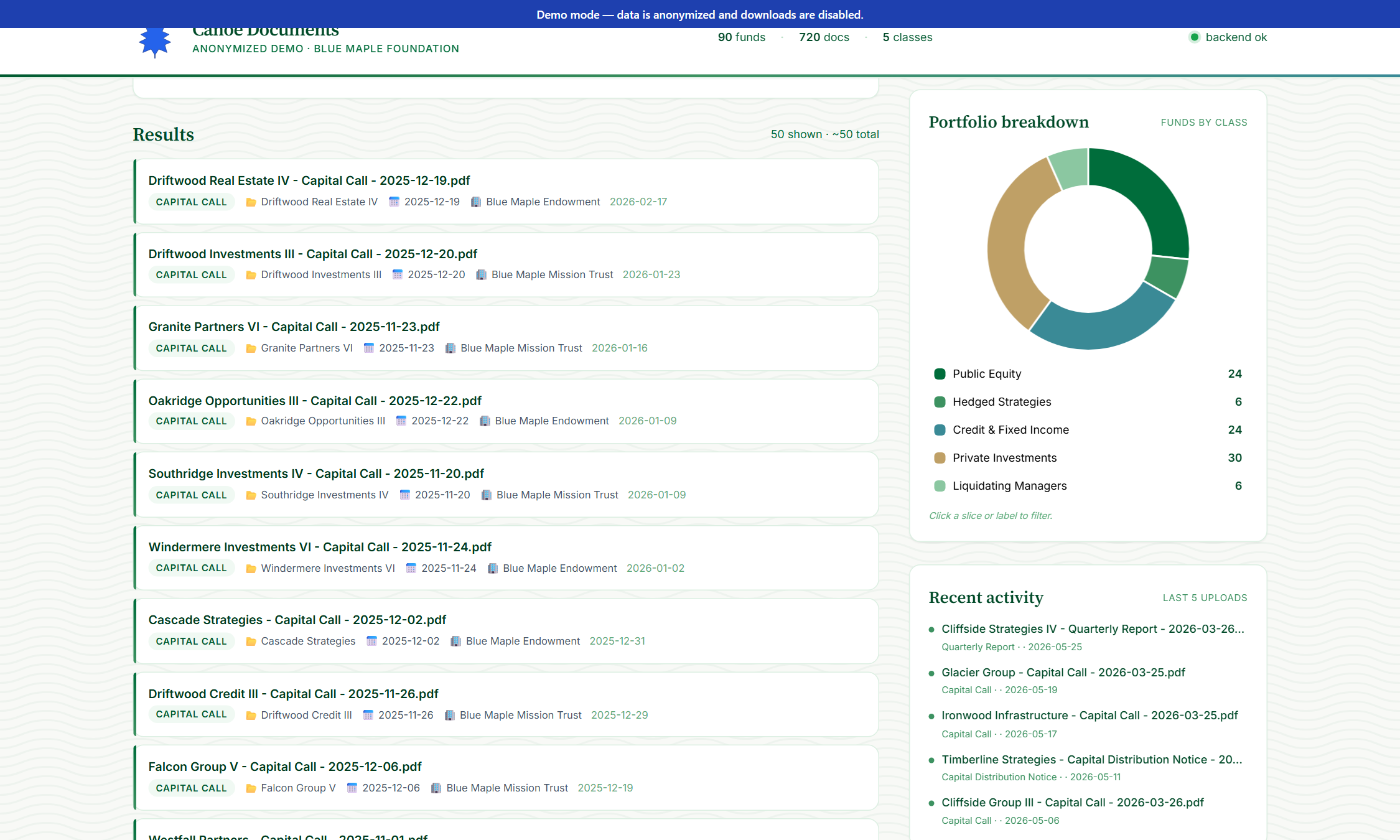
Below the filter panel: matched documents render as a list. Each row shows the document name, type badge, fund, data date, entity, and upload date. Counts at the top (“50 shown · ~240 total”).
Pick a folder scheme & destination
Four schemes: Fund / Activity (default — rolls Canoe's raw types into the 5 curated folders), Fund / DocType (raw Canoe types), DocType / Year / Fund, Account / Fund / Year. Pick whatever matches the workflow of whoever's receiving the files. Next to it, the Save to dropdown sends the batch to your local downloads/, straight to SharePoint, or to both at once.
Use voice input
Click the mic icon next to the search bar. Speak in any of ~30 languages. The browser transcribes; Claude cleans it up and translates non-English to English (preserving fund names verbatim). The cleaned text lands in the search box for you to review.